Honeywell Equipment Interface Module Manual: A Comprehensive Guide
This manual provides detailed guidance on Honeywell Equipment Interface Modules (EIMs), essential components for seamless integration between thermostats and HVAC systems.
It covers compatibility, functionality, installation, troubleshooting, and software integration, ensuring optimal performance and reliable operation within building automation systems.
Honeywell Equipment Interface Modules (EIMs) represent a crucial link in modern building automation, bridging the communication gap between Honeywell thermostats and the controlled HVAC equipment. These modules facilitate wireless connectivity, enabling remote monitoring and control of heating and cooling systems.
Designed for compatibility with Prestige IAQ and RedLINK VisionPRO thermostats, EIMs offer a robust solution for both residential and commercial applications. They are not compatible with thermostats from other manufacturers, ensuring a secure and optimized Honeywell ecosystem. Each EIM is designed for a one-to-one pairing with a single thermostat, streamlining setup and management.
Importantly, the EIM is typically installed at the HVAC unit itself, rather than alongside the thermostat, allowing for wireless communication. This strategic placement simplifies installation and minimizes wiring complexities. Understanding the role of EIMs is fundamental to maximizing the efficiency and functionality of your Honeywell control system.
What is an Equipment Interface Module (EIM)?
An Equipment Interface Module (EIM) acts as a translator, converting signals between a Honeywell thermostat and the heating or cooling equipment. It’s the key to enabling wireless control of your HVAC system, eliminating the need for direct wiring between the thermostat and the unit itself.
Essentially, the EIM receives commands from the thermostat – such as a request to increase the temperature – and relays those instructions to the furnace, air conditioner, or heat pump. Conversely, it sends status updates from the HVAC equipment back to the thermostat, providing real-time feedback on system operation.
These modules are specifically engineered for Honeywell systems, ensuring seamless integration and reliable performance. They are not universal and won’t function with non-Honeywell thermostats. The EIM’s primary function is to establish a robust wireless connection, simplifying installation and offering flexibility in system design.
EIM Compatibility with Honeywell Thermostats

Honeywell EIMs demonstrate specific compatibility with their range of thermostats, ensuring optimal system performance. Notably, all versions of the Prestige IAQ Thermostats and the newer RedLINK VisionPRO Thermostats are fully supported and will function seamlessly with a compatible EIM. This allows for advanced features and precise temperature control.
However, it’s crucial to understand that Honeywell EIMs are not designed to work with thermostats from other manufacturers. Attempting to use an EIM with a non-Honeywell thermostat will result in incompatibility and a non-functional system.
Furthermore, each EIM is designed for a one-to-one pairing relationship with a single thermostat. You cannot connect multiple thermostats to a single EIM, or vice versa. This dedicated pairing ensures reliable communication and prevents interference within the system.
Prestige IAQ Thermostats
The Honeywell Prestige IAQ Thermostats benefit significantly from integration with an Equipment Interface Module (EIM); This pairing unlocks the full potential of the thermostat’s advanced features, including precise temperature control, humidity management, and air purification settings. The EIM facilitates reliable wireless communication between the thermostat and the HVAC equipment, ensuring consistent and accurate operation.
Compatibility is universal across all versions of the Prestige IAQ line, meaning any Prestige IAQ thermostat will seamlessly connect with a compatible Honeywell EIM. This simplifies installation and upgrades, providing a straightforward path to enhanced home comfort and energy efficiency.
Users can expect improved responsiveness and a more stable connection when utilizing an EIM with their Prestige IAQ thermostat, leading to a more comfortable and controlled indoor environment.
RedLINK VisionPRO Thermostats
Honeywell RedLINK VisionPRO Thermostats, like their Prestige IAQ counterparts, are fully compatible with Honeywell Equipment Interface Modules (EIMs). This compatibility expands the capabilities of the VisionPRO thermostat, enabling advanced control over HVAC systems and enhancing overall system performance. The EIM ensures a robust and dependable wireless link between the thermostat and the heating/cooling equipment.
Integration with an EIM allows for seamless operation of features such as zoned heating and cooling, fan control, and system diagnostics. This results in a more efficient and responsive home comfort experience.
The VisionPRO’s advanced display and user interface are further enhanced by the reliable communication provided by the EIM, offering homeowners greater control and insight into their home’s climate.
Incompatibility with Non-Honeywell Thermostats
A critical aspect of Honeywell EIMs is their exclusive compatibility with Honeywell thermostats. These modules are specifically engineered to communicate with the proprietary protocols used by Prestige IAQ and RedLINK VisionPRO thermostats, rendering them unusable with thermostats from other manufacturers.
Attempting to connect an EIM to a non-Honeywell thermostat will result in a failure to establish communication, preventing control of the HVAC system. This design choice ensures system integrity and optimizes performance within the Honeywell ecosystem.
Users should be aware that investing in a Honeywell thermostat is a prerequisite for utilizing the benefits of an EIM. Attempting to circumvent this requirement will lead to operational issues and a compromised system.
EIM Functionality and Placement
Honeywell EIMs serve as a crucial bridge, enabling wireless communication between the thermostat and the HVAC equipment. Unlike direct wiring, the EIM facilitates a robust and reliable connection without the need for extensive cabling. Proper placement is key to optimal performance.
The EIM is installed at the HVAC unit – the furnace or air conditioner – not with the thermostat itself. This strategic positioning allows the module to interface directly with the HVAC system’s controls, translating signals to and from the thermostat.
Each EIM establishes a one-to-one pairing with a single thermostat, creating a dedicated communication channel. This ensures a secure and responsive connection, preventing interference and maintaining precise control over the heating and cooling system.
EIM Location: HVAC Unit vs. Thermostat
A frequent point of clarification concerns the physical placement of the Honeywell Equipment Interface Module (EIM). It’s vital to understand that the EIM is not installed alongside the thermostat. Instead, the module is strategically positioned directly at the HVAC unit – whether that’s the furnace, air handler, or air conditioning condenser.
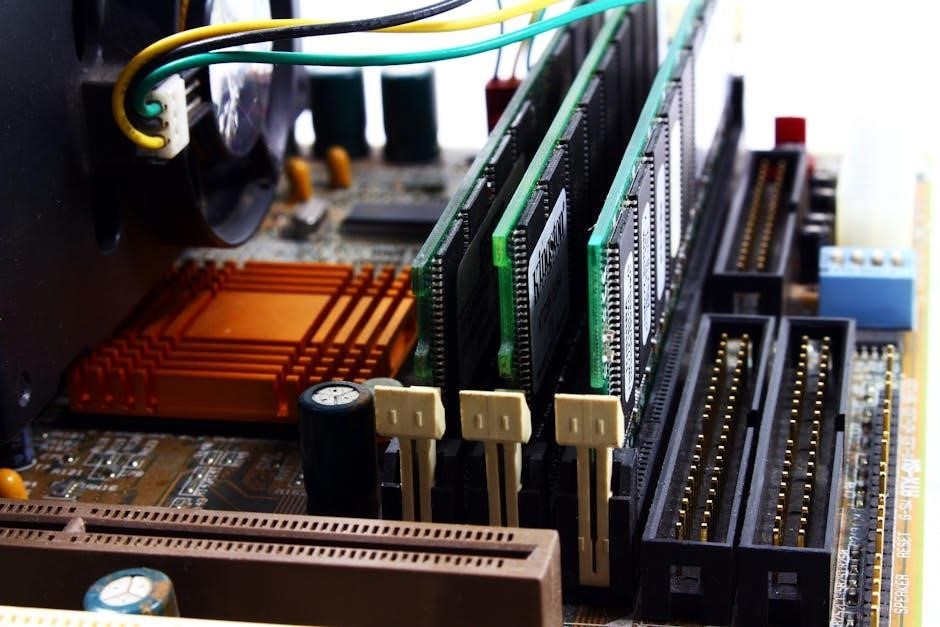
This placement is deliberate, allowing the EIM to directly interface with the HVAC system’s existing controls and wiring. It then wirelessly transmits this information to the paired thermostat. Installing the EIM at the thermostat would defeat its purpose, as it needs to interact with the equipment itself.
Think of the EIM as a translator, converting signals between the HVAC system and the thermostat, and its location is critical for this function to operate effectively.
Wireless Communication with Thermostats
Honeywell EIMs utilize a robust wireless protocol – typically Honeywell’s RedLINK – to establish a reliable connection with compatible thermostats. This wireless link eliminates the need for running physical wires between the HVAC equipment and the thermostat location, simplifying installation and offering greater flexibility in thermostat placement.
The RedLINK technology ensures secure and interference-resistant communication, even through walls and floors. However, signal strength can be affected by building materials and distance. Proper placement of both the EIM and thermostat is crucial for optimal performance.
This wireless capability is a key feature, enabling remote control and monitoring of HVAC systems via the connected thermostat, providing convenience and energy savings.
One-to-One Pairing: EIM and Thermostat Relationship
A fundamental aspect of Honeywell EIM operation is its one-to-one pairing with a single thermostat. Each EIM is designed to communicate exclusively with one thermostat, creating a dedicated communication channel. This ensures a stable and predictable connection, minimizing potential interference or conflicts within the system.
The pairing process establishes a unique link between the EIM and the thermostat, requiring specific steps outlined in the installation guide. Once paired, the EIM and thermostat operate as a unified unit, exchanging data related to temperature, system status, and control commands.
It’s important to note that an EIM cannot be simultaneously paired with multiple thermostats, and a thermostat can only be paired with one EIM. Attempting to pair an EIM with more than one thermostat will result in communication errors.
Types of Honeywell Interface Modules
Honeywell offers a diverse range of Equipment Interface Modules (EIMs) tailored to specific system requirements and communication protocols. These modules facilitate connectivity between Honeywell thermostats and various HVAC equipment, as well as integration with broader building automation systems.
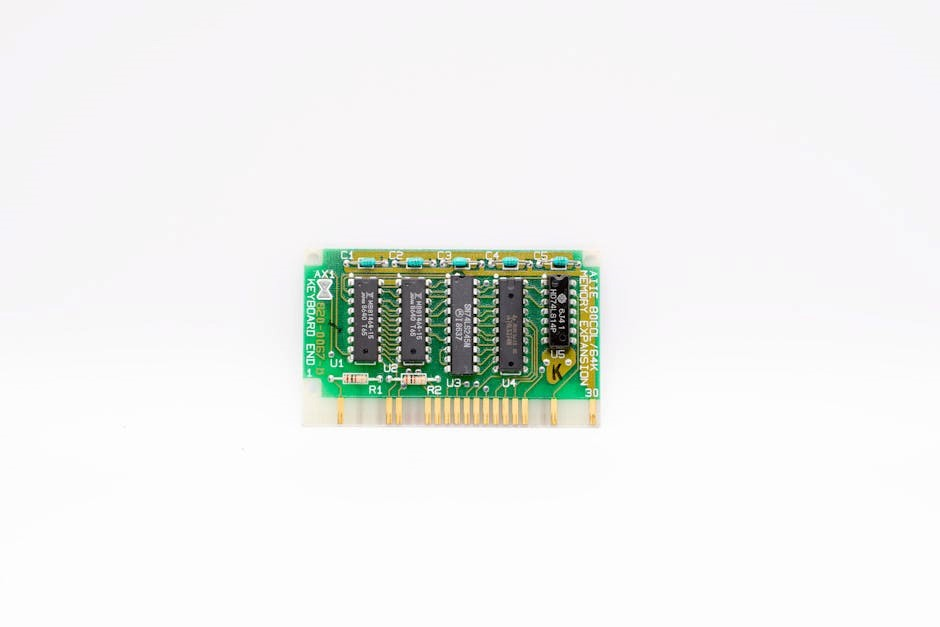
The THM5421R1021 EIM is a popular choice, widely compatible with Prestige IAQ and RedLINK VisionPRO thermostats. Beyond this, Honeywell provides Ethernet Interface Modules for in-house operation, supporting RS-485 (up to 1,200m), RS-232 (up to 15m), and current loop interfaces (up to 2,000m).
For fire alarm system integration, Honeywell offers Addressable Zone Interface Modules. These modules are designed for use with Silent Knight FACPs, enabling monitoring of 2-wire conventional smoke detectors, enhancing overall building safety and control.
THM5421R1021 EIM: Specifics and Applications
The Honeywell THM5421R1021 EIM serves as a crucial link between Prestige IAQ and RedLINK VisionPRO thermostats and the HVAC equipment. It’s designed for wireless communication, typically installed at the HVAC unit itself, rather than alongside the thermostat, ensuring reliable signal transmission.
This module establishes a one-to-one pairing with a single thermostat, meaning each EIM is dedicated to controlling one specific thermostat’s connected system. It’s a versatile solution for both residential and light commercial applications, offering robust performance and compatibility.
Users report generally positive experiences with this EIM, though occasional failures can occur. However, Honeywell’s reputation for quality typically ensures a solid and dependable system when the module functions correctly, making it a preferred choice for many installers.
Ethernet Interface Modules
Honeywell Ethernet Interface Modules facilitate in-house operation and network connectivity for building automation systems. These modules enable communication between the control system and other devices via Ethernet networks, offering remote access and monitoring capabilities.
Several interface specifications are supported, including RS-485 with a maximum line length of 1,200 meters, ideal for longer distances. RS-232 supports up to 15 meters, suitable for shorter connections. Additionally, a current loop interface extends the range to a maximum of 2,000 meters.
Access to System Configuration Software and Fire System Software is typically granted upon user login, providing tools for setup and management. These modules are designed for integration within a broader Honeywell Building Solutions ecosystem, enhancing overall system functionality.
RS-485 Interface Specifications
The RS-485 interface within Honeywell Ethernet Interface Modules provides robust, long-distance communication capabilities for building automation networks. This serial communication protocol is particularly well-suited for industrial environments due to its noise immunity and multi-drop capabilities, allowing multiple devices to share a single bus.
A key specification is the maximum line length, which extends to 1,200 meters (approximately 3,937 feet). This substantial distance makes RS-485 ideal for connecting devices spread across large facilities. The interface is potential-separated, enhancing safety and reliability.
Proper termination is crucial for maintaining signal integrity on longer runs. Utilizing appropriate resistors at both ends of the bus minimizes signal reflections and ensures consistent data transmission. Careful consideration of these specifications is vital for optimal performance.
RS-232 Interface Specifications
Honeywell Ethernet Interface Modules also incorporate an RS-232 interface, offering a common serial communication method for direct connection to computers or other serial devices. While widely used, RS-232 is generally limited to shorter distances compared to RS-485 due to its susceptibility to noise and voltage drop.
The maximum recommended cable length for RS-232 is 15 meters (approximately 49 feet). Exceeding this length can lead to unreliable data transmission. This interface is typically used for configuration, diagnostics, or limited data exchange.
Unlike RS-485, RS-232 is not inherently multi-drop capable and is best suited for point-to-point connections. Proper grounding and shielding are essential to minimize interference and ensure stable communication. Careful attention to these specifications is crucial for successful implementation.
Current Loop Interface Specifications
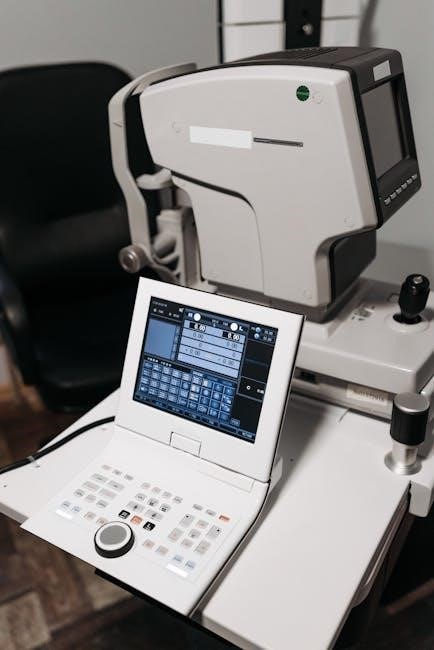
Honeywell Ethernet Interface Modules provide a current loop interface, offering robust communication over extended distances, particularly in electrically noisy environments. This method utilizes a continuous current flow to transmit data, making it less susceptible to interference than voltage-based signaling.
The maximum cable length supported by the current loop interface is 2,000 meters (approximately 6,562 feet). This makes it ideal for applications where long-distance communication is required, such as connecting to remote equipment or across large facilities.
Current loop interfaces are often used in industrial control systems and building automation networks. Proper termination resistors are essential at both ends of the loop to maintain signal integrity. This interface provides a reliable and resilient communication pathway.
Addressable Zone Interface Modules
Honeywell’s Addressable Zone Interface Modules are intelligent devices designed for integration with the Silent Knight Series Fire Alarm Control Panels (FACPs). These modules facilitate the connection and monitoring of conventional 2-wire smoke detectors within an addressable fire alarm system;
They bridge the gap between older, conventional devices and modern, addressable technology, allowing for enhanced system functionality and detailed reporting. Each module utilizes one available address on the SLC (Signaling Line Circuit) loop, responding to regular polls from the control panel.
This interface reports its type and status, providing valuable information to the FACP. Utilizing these modules allows for a cost-effective upgrade path for existing facilities, enhancing fire detection capabilities without a complete system overhaul.
Integration with Silent Knight Fire Alarm Control Panels (FACPs)
Honeywell Addressable Zone Interface Modules are specifically engineered for seamless integration with Silent Knight Fire Alarm Control Panels (FACPs). This compatibility allows for the incorporation of conventional 2-wire smoke detectors into a sophisticated, addressable fire alarm network.
The interface modules enable the FACP to monitor the status of these detectors, providing detailed information about alarm events and system health. This integration enhances the overall reliability and responsiveness of the fire detection system.
By utilizing these modules, facilities can leverage the benefits of addressable technology – such as pinpoint accuracy in identifying alarm locations – while still utilizing existing conventional devices. This provides a cost-effective upgrade path and improved fire safety.
Monitoring 2-Wire Conventional Smoke Detectors
Honeywell Addressable Zone Interface Modules provide a crucial link between traditional 2-wire conventional smoke detectors and modern, addressable fire alarm systems. These modules effectively translate the simple on/off signals from conventional detectors into a digital format understood by the control panel.
This allows for detailed monitoring of each detector’s status, including alarm, trouble, and supervisory conditions. The interface module reports this information back to the Silent Knight FACP, providing precise location identification during an event.
The system enhances fire safety by enabling faster response times and more accurate pinpointing of alarm sources. Utilizing existing 2-wire detectors with addressable technology offers a cost-effective upgrade path, improving overall system performance and reliability.
Installation and Configuration
Proper installation and configuration are vital for optimal EIM performance. Begin by carefully selecting the module location – typically at the HVAC unit, facilitating wireless communication with the thermostat. Ensure the EIM is powered off during installation to prevent damage.
Module addressing on SLC loops is a critical step, utilizing available addresses for unique identification. The initial setup involves pairing the EIM with its designated thermostat; each EIM supports only one thermostat connection.
Troubleshooting common issues, such as pairing failures or communication disruptions, often involves verifying power, address settings, and wireless signal strength. Refer to the detailed documentation for specific error codes and resolution steps.
Module Addressing on SLC Loops
Addressing the EIM on a System Logic Controller (SLC) loop is a fundamental configuration step. Each module requires a unique address within the loop’s capacity to ensure proper communication with the control panel. It uses one of the available module addresses on an SLC loop, responding to regular polls from the control panel;
Careful planning of address assignments is crucial to avoid conflicts and maintain system integrity. The control panel software facilitates the address programming process, allowing technicians to assign and verify addresses efficiently. Incorrect addressing can lead to communication failures and system malfunctions.
Documentation detailing the SLC loop’s address range and available addresses is essential during installation. Proper address configuration ensures the EIM accurately reports its type and status to the central control system.
Initial EIM Setup and Pairing Process
The initial setup of a Honeywell EIM involves a crucial pairing process with the designated thermostat. Each EIM pairs up to a single thermostat, establishing a dedicated communication link. This process typically initiates through the thermostat’s interface, guiding the user through a series of steps to discover and connect to the EIM.
The EIM is used at the AC or heating unit to wirelessly communicate with the thermostat, so physical proximity during pairing is beneficial. Successful pairing confirms a stable connection, enabling seamless control of HVAC functions. Following pairing, verify functionality by testing heating and cooling modes.
Refer to the thermostat’s specific manual for detailed pairing instructions, as procedures may vary slightly between models. A solid pairing ensures reliable operation and unlocks the full potential of the Honeywell system.
Troubleshooting Common EIM Issues
When encountering issues with a Honeywell EIM, begin by verifying the power supply and ensuring a stable connection. If pairing fails, confirm the EIM is within range of the thermostat and that no other devices interfere with the wireless signal. A potential fluke in the build, as reported by some users, might necessitate a module replacement.
Check for compatibility; EIMs are specifically designed for Honeywell thermostats (Prestige IAQ and RedLINK VisionPRO) and won’t function with other brands. If the system is unresponsive, review the module addressing on the SLC loop, ensuring it’s correctly configured.
Consult the system configuration software for diagnostic information and error codes. If problems persist, contact Honeywell Building Solutions for further assistance and access to additional documentation.
Software and System Integration
Honeywell EIMs integrate seamlessly with various software platforms for comprehensive system control and monitoring. Access to System Configuration Software is crucial for initial setup, module addressing, and ongoing management of the EIM. This software allows for detailed configuration of communication parameters and system settings.
For fire alarm applications, compatibility with Fire System Software is essential, particularly when utilizing Addressable Zone Interface Modules with Silent Knight FACPs. These interfaces enable monitoring of 2-wire conventional smoke detectors.
Users can access additional documentation and support resources by signing into their Honeywell Building Solutions account. Ethernet interfaces, designed for in-house operation, require specific configuration within the software environment.
System Configuration Software Access
Accessing Honeywell’s System Configuration Software is paramount for effective EIM management. Typically, access is granted through the Honeywell Building Solutions portal, requiring a valid user account and appropriate permissions. Once logged in, navigate to the support or downloads section, specifically searching for software related to Equipment Interface Modules.
The software enables comprehensive control over EIM parameters, including module addressing on SLC loops, communication settings, and device-specific configurations. It’s vital to download the version compatible with your specific EIM model – THM5421R1021 or Ethernet variants – to ensure seamless integration.
Remember that additional documentation and support resources are often available within the portal after successful login, providing detailed guidance on software functionality and troubleshooting.
Fire System Software Compatibility
Honeywell Addressable Zone Interface Modules demonstrate crucial compatibility with the Silent Knight Series Fire Alarm Control Panels (FACPs). Ensuring seamless integration requires utilizing fire system software specifically designed to communicate with these panels and their connected modules.
The software allows for monitoring of 2-wire conventional smoke detectors connected through the EIM, providing a unified view of fire detection events within the broader building management system. Compatibility verification is essential before deployment; consult Honeywell documentation to confirm supported software versions.
Proper configuration within the fire system software is vital for accurate event reporting and alarm signaling. Regularly check for software updates to maintain optimal performance and address any potential compatibility issues.
Accessing Additional Documentation
Honeywell provides a wealth of supplementary resources to support the installation, configuration, and troubleshooting of Equipment Interface Modules (EIMs). Access to these materials often requires creating an account on the Honeywell Building Solutions website.
Once logged in, users may unlock access to detailed product specifications, application notes, technical bulletins, and software updates relevant to their specific EIM model. These resources are invaluable for complex installations or when addressing unusual system behaviors.
Furthermore, Honeywell’s online portal offers a searchable knowledge base and frequently asked questions (FAQs) addressing common issues. Direct links to these resources are often included within the primary product documentation, streamlining the support process.